 Local Hair Color
A small kit for a big decision.
Choose a photo or video, try a color, fix any edges, compare with your original, and save a copy. That’s the whole app, and every step happens on your iPhone or iPad.
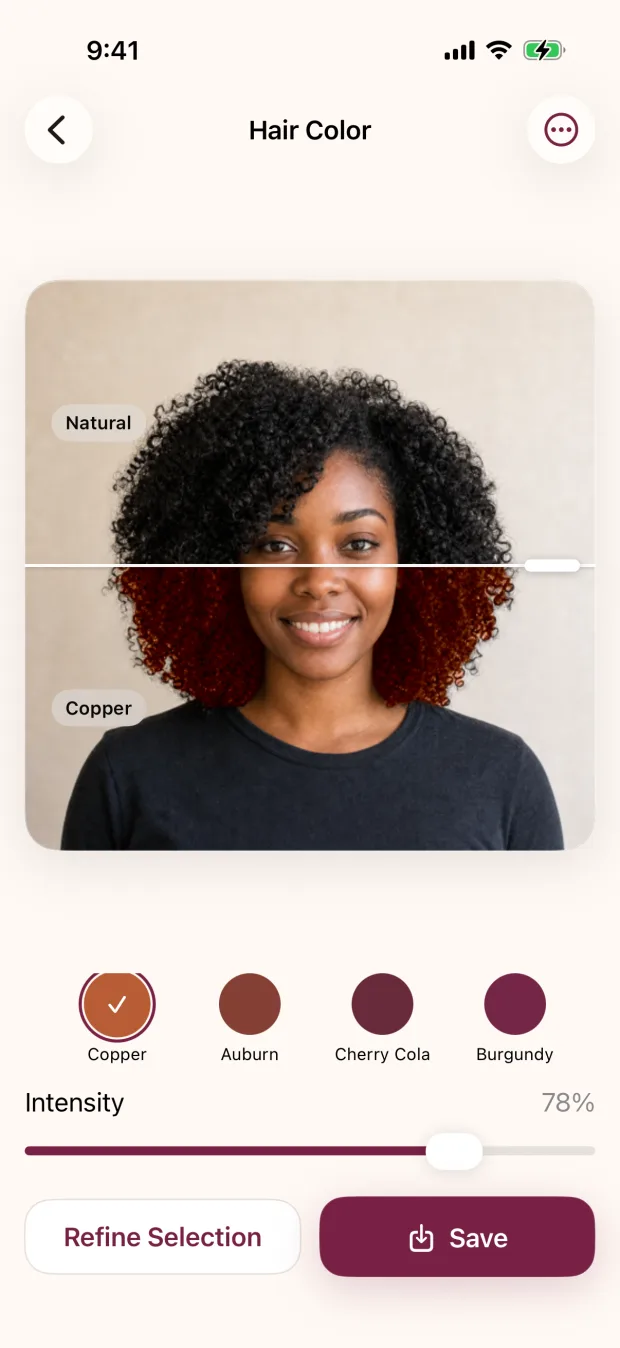
It finds your hair once, then lets you play.
A model that ships inside the app outlines your hair on the device. That outline is reused as you switch shades and move the intensity slider, so trying another color is instant instead of starting over.
- One photo or video at a timeApple’s picker gives the app only the item you choose, not your library.
- Texture and shine stay putThe color follows your hair’s own highlights and shadows, so it still looks like your hair.
- Change your mind freelySwap the photo or leave the editor whenever you like. Nothing is saved behind your back.
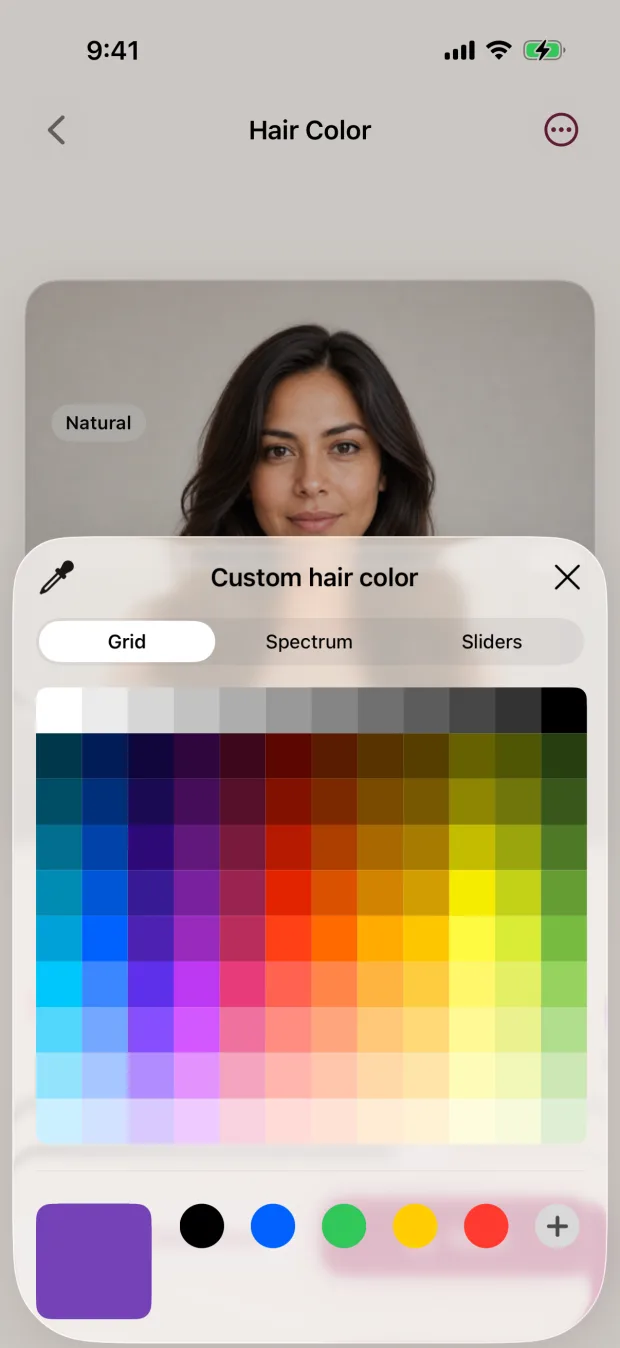
Sixteen shades, and any color you can imagine.
Start with a curated shade for a quick comparison. Open Custom when you already have a color in mind, like the one on a box or in a photo you saved.
- Honey Blonde
- Teddy Bronde
- Platinum
- Chocolate
- Espresso
- Jet Black
- Copper
- Auburn
- Cherry Cola
- Burgundy
- Silver
- Rose Gold
- Pink
- Blue
- Purple
- Green
- Custom colorApple’s own color controls, with grid, spectrum, and slider views.
- IntensityLet more of your natural color show through for a subtle change, or make the new direction obvious.
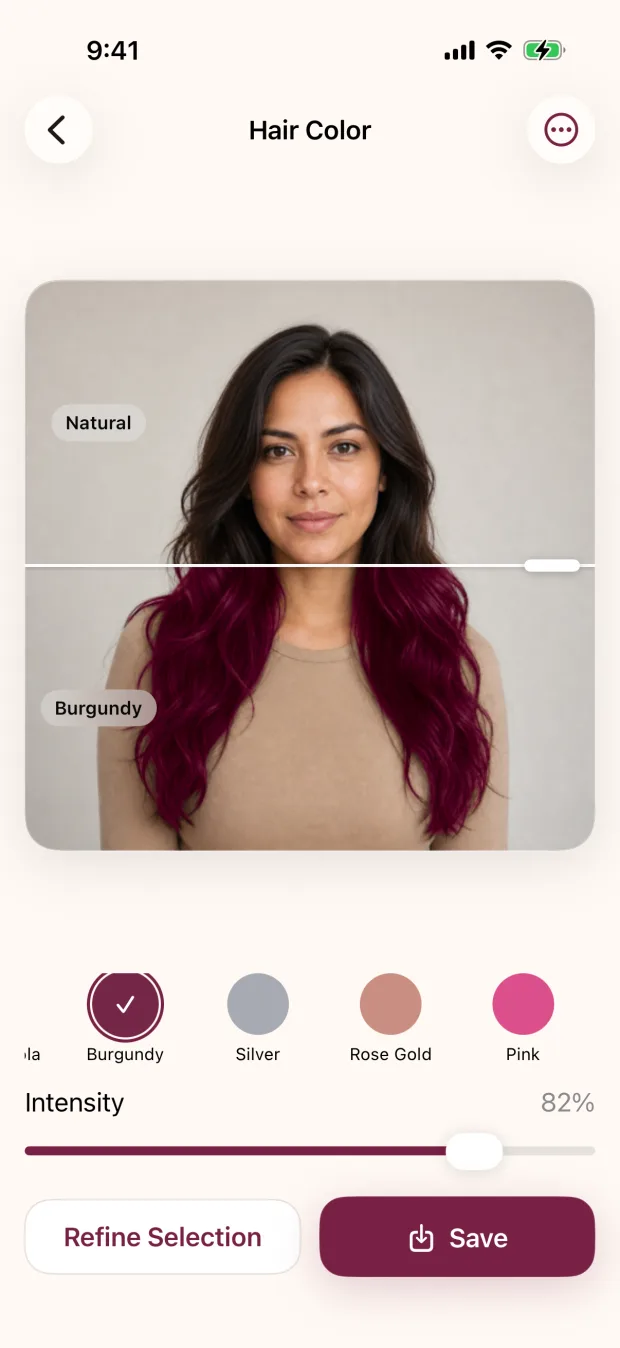
Your original, one tap away.
Tap Natural in the shade row to flip back to your original, then tap your new shade again. The crop, pose, expression, and light never change, so the only thing you’re judging is the color.
- Zoom in on the detailsPinch to check your hairline and ends; double-tap to reset.
- A gentle reality checkIf the new shade looks flat or overpowering next to your original, lower the intensity or try a neighbor.
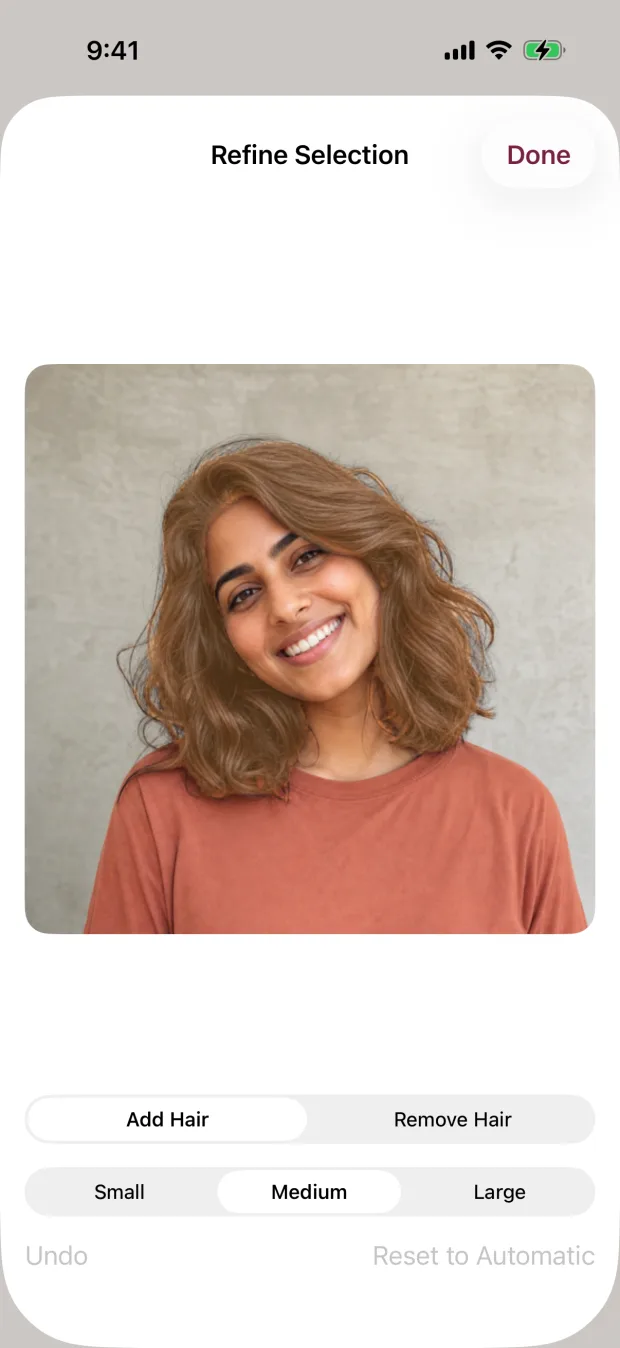
Brushes for the tricky bits.
Automatic doesn’t mean you’re stuck with it. On photos, Refine Selection keeps your corrections separate from the automatic result, so experimenting is safe.
- Add HairBring in strands and sections that should get the color.
- Remove HairProtect skin, clothing, accessories, and background.
- Small, medium, largeA small brush around the hairline, a large one for broad sections.
- Undo, or Reset to AutomaticStep back one stroke, or clear every correction and start from the automatic result.
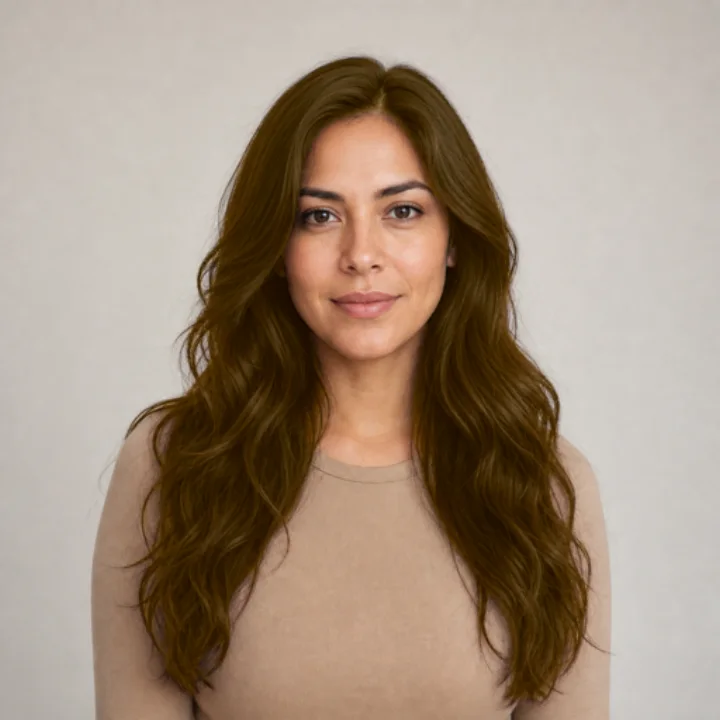
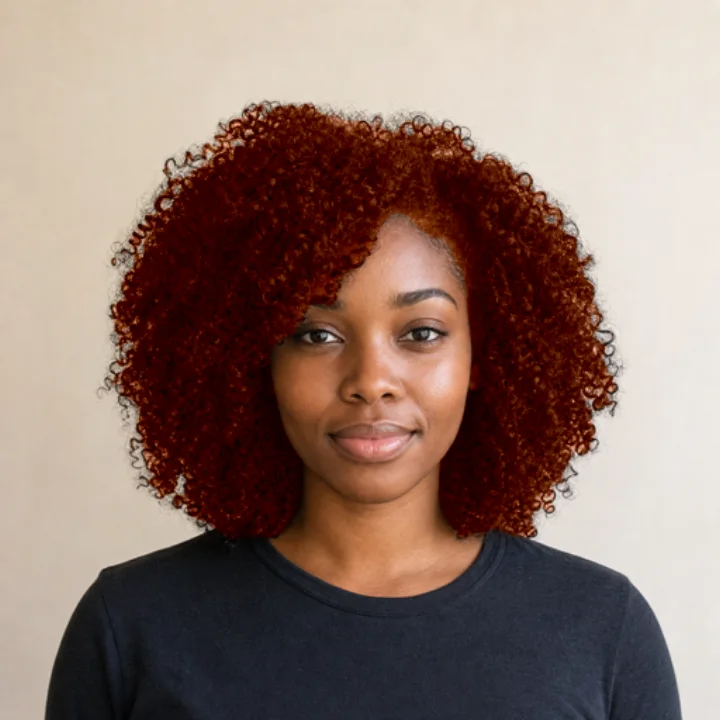
Video, too.
Choose a short clip to see how a color looks as you move and catch the light. The same shades and intensity work on video, and the clip is processed on your device.
- Quick or QualityQuick saves faster with smaller files. Quality refines the hair in every saved frame and takes longer.
- Original audio includedYour saved clip keeps its sound. The original video is never changed.
- Good to knowBrush corrections are for photos. For video, an evenly lit clip with less fast motion works best.
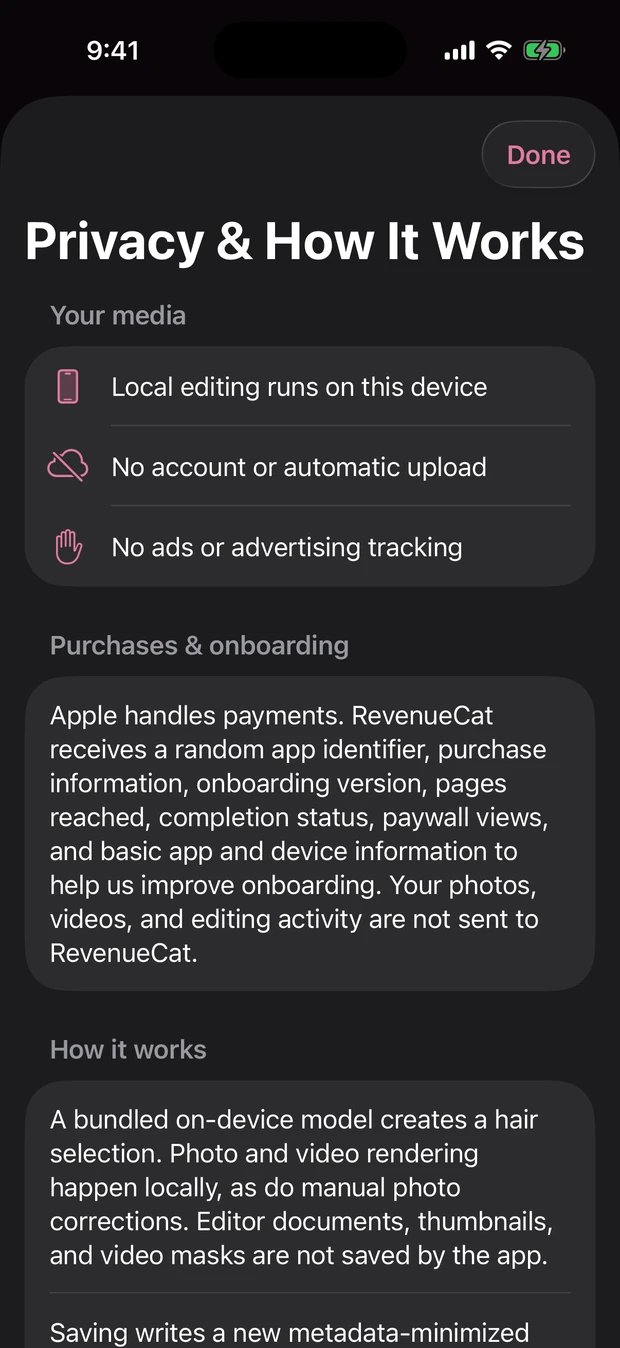
Saved as a fresh copy, tidied up.
When a preview is worth keeping, the app writes a new photo or MP4 video. It never overwrites your original.
- Details left behindLocation, original filename, camera serial, and other unrelated details are removed from the copy.
- Narrow Photos accessYou pick through Apple’s picker. The app asks to add to Photos only when you save.
- No editing archiveSource photos, videos, hair selections, thumbnails, and editor history aren’t kept.
- No account, no photo serverSelection, color, corrections, and saving all run on the device.
Made for iPhone and iPad
The editor adapts to the bigger iPad screen in any orientation, which is lovely for checking edges up close. You’ll need iOS or iPadOS 17 or later. The App Store also lists the app as compatible with Apple silicon Macs and Apple Vision Pro.
Before you start
A clear, evenly lit photo with your hair fully in frame gives the preview its best chance. Backlight, flyaways, hats, see-through ends, several people, and low contrast all mean a bit more brushing.
And remember, the preview is a visual plan, not a dye prediction. It colors your selected hair in one shade (it doesn’t place highlights or balayage), and real results depend on your starting color, hair history and condition, lighting, products, and technique.
See your next color on you.
Free to download, with a free preview on your own photo before you choose weekly or lifetime access.